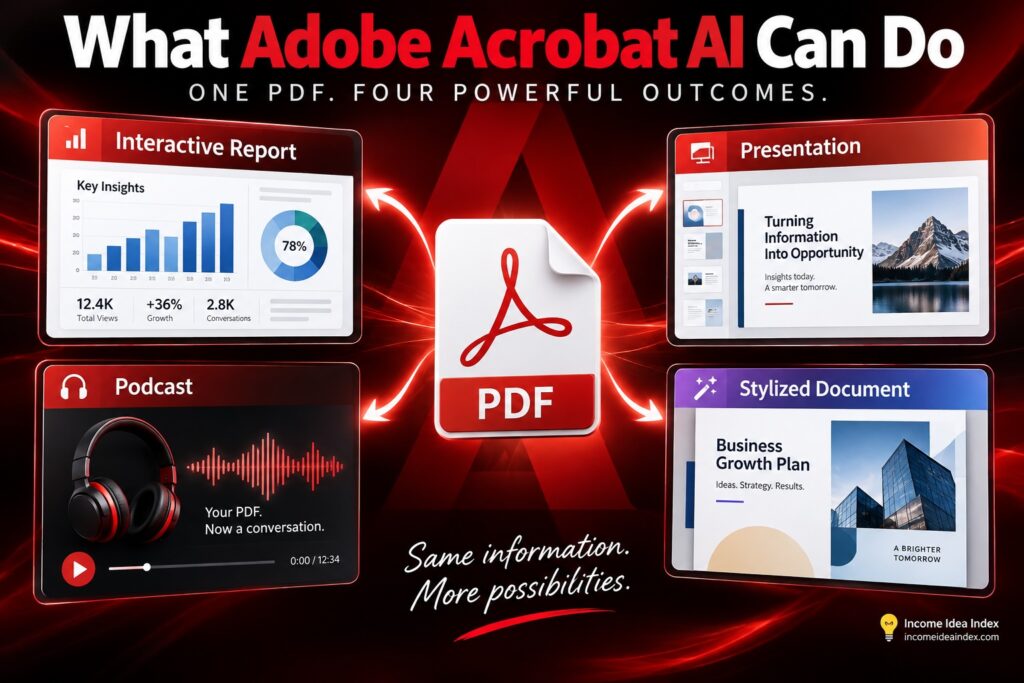
For years, Adobe Acrobat has been the program people open when they need to read, edit, sign, convert, or organize a PDF.
Adobe now wants it to do considerably more.
On September 9, 2026, Adobe announced a new group of AI-powered Acrobat capabilities designed to turn documents into interactive reports, presentations, audio summaries, podcast-style conversations, and professionally designed materials.
The update is powered by Adobe’s Productivity Agent and represents a larger shift in what Acrobat is becoming.
Instead of simply opening a document and reading it from beginning to end, Adobe wants users to be able to give Acrobat a collection of information and ask it to explain, reorganize, visualize, or transform that information into something more useful.
That could be particularly interesting for small-business owners, freelancers, marketers, students, and anyone who regularly deals with long reports, research, proposals, or other information-heavy documents.
Adobe’s official announcement of the new Acrobat AI capabilities
Adobe Acrobat Is Becoming More Than a PDF Reader
The important part of Adobe’s announcement is not any single AI feature.
It is the way those features work together.
A traditional PDF workflow might involve opening a report, reading dozens of pages, taking notes, identifying important statistics, building a presentation, creating charts, and then rewriting portions of the information for another audience.
Those steps may involve several different applications.
Adobe is increasingly trying to collapse them into one workflow.
The company describes Acrobat as evolving from a PDF tool into a broader document productivity platform.
That fits a wider trend in artificial intelligence. AI tools are moving beyond simply answering questions and toward taking a source of information and helping users complete a multistep task with it.
If that sounds familiar, it is part of the same shift covered in our guide to AI agents for beginners and where humans should stay in control.
Acrobat’s new features are a practical example of that change.
You provide the source material.
The AI helps interpret it.
Then it can help transform the information into another format.
Adobe Acrobat AI Can Turn Documents Into Interactive Reports
One of the more interesting additions is the ability to generate interactive reports.
Instead of presenting someone with pages of text or a large spreadsheet, Acrobat can analyze the source files and create a more visual representation of the information.
Adobe says those reports can include charts, images, key insights, and built-in navigation.
The AI can also ask clarifying questions to understand what you are trying to learn from the documents before creating the report.
That could make a difference when the underlying information is technically useful but difficult to absorb.
Imagine receiving a lengthy quarterly business report.
The document may contain everything you need to know, but the important patterns could be buried across dozens of pages.
Acrobat could potentially reorganize that material into a visual report showing revenue changes, costs, trends, or other important information without requiring someone to build the report manually from scratch.
Marketers might use the same approach with customer research.
A freelancer might use it with project information.
A small business could use it to make an internal report easier for employees to understand.
Adobe’s documentation says interactive report generation is currently available through Acrobat on the web when using a desktop or laptop computer with an eligible subscription.
Adobe’s guide to generating interactive reports in Acrobat
The important word here is source.
The AI is not supposed to invent the business information. It is working from the documents you provide and helping present that information differently.
That distinction is important whenever AI is being used for serious research or decision-making.
PDFs Can Become Presentations and Summary Slides
Adobe is also expanding Acrobat’s ability to generate presentations directly from source documents.
Instead of manually pulling the most important points from a report and rebuilding them as slides, users can ask Acrobat to create a structured presentation around the material.
The resulting slides remain editable.
That means the AI can handle some of the initial organization and layout work while the person using it decides what should actually remain in the final presentation.
Adobe also offers summary slides for situations where an entire presentation may be unnecessary.
This could be useful for someone who needs to explain a lengthy document during a meeting but does not want to put 30 pages of text on the screen.
Adobe’s presentation documentation says Acrobat can generate structured slides from documents or PDF Spaces and then allow users to refine the presentation.
See how Adobe’s Generate Presentation feature works
This is one of the areas where AI can genuinely save time when used carefully.
Instead of spending an hour moving information between applications, you can start with an automatically organized version and spend your time reviewing whether the message is accurate and useful.
That is similar to the approach discussed in 7 Practical Ways to Use AI to Save Time Every Week: use AI to reduce friction and repetitive setup work rather than assuming it should replace your judgment.
Acrobat Can Turn Documents Into Podcast-Style Audio
Not everyone wants to absorb information by staring at another screen.
Adobe’s new audio features give users several alternatives.
Documents can be transformed into podcast-style discussions, audio summaries, or read-aloud experiences.
A person researching an industry, for example, could collect several reports inside a PDF Space and generate an audio version of the important information.
That could then be reviewed during a commute, walk, workout, or another time when sitting down to read the original files would be inconvenient.
The idea is not entirely new. AI-generated audio summaries have appeared in other products.
What is notable here is that Adobe is integrating the capability directly into Acrobat alongside the documents people are already using.
For someone who frequently receives long reports, proposals, research documents, or meeting materials, that could turn unused time into an opportunity to catch up.
It also gives people another way to process complicated information.
Some people understand a subject more easily when they hear it explained rather than reading it from a page.