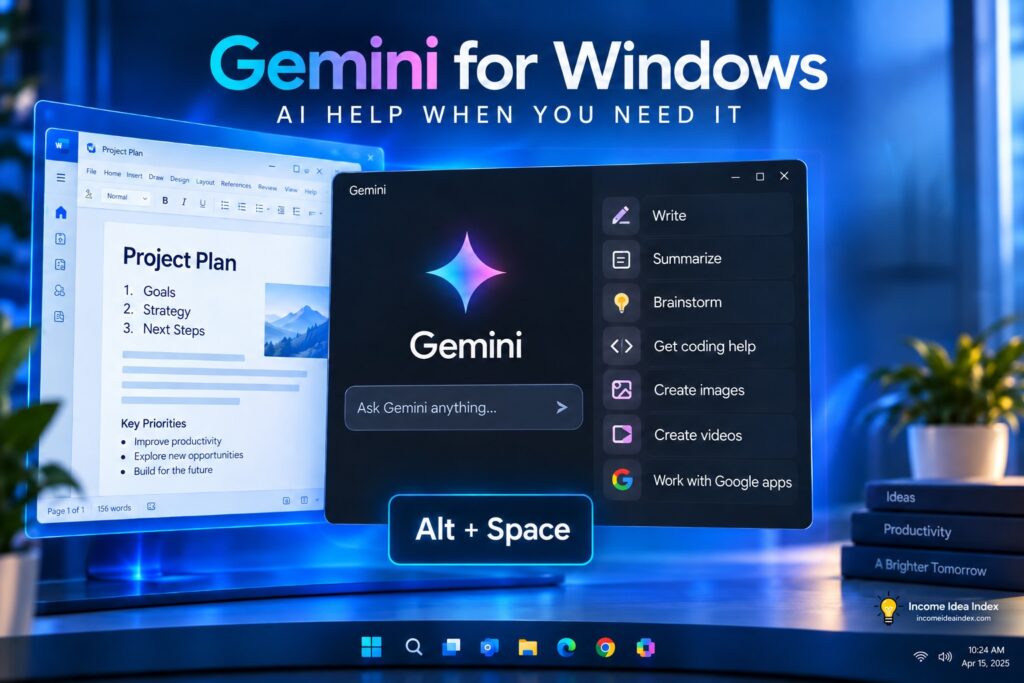
Gemini for Windows is now officially available, giving Windows users a dedicated way to access Google’s AI assistant without relying on a browser tab.
Google launched the new desktop app on September 10, 2026, bringing Gemini directly to Windows 10 and Windows 11 PCs. The app can be opened quickly with the Alt + Space shortcut and gives users access to Gemini for writing, research, summarizing, coding, image generation, connected Google services, and other AI-powered tasks.
At first glance, the new app may seem like little more than a desktop version of the Gemini website.
The bigger change is convenience.
By putting Gemini directly alongside the programs people already use, Google is trying to make AI feel less like a separate destination and more like an assistant that is available while you work.
For freelancers, creators, small-business owners, students, and anyone who already uses Gemini regularly, that could make the Windows app one of the more practical Gemini updates of 2026.
What Is the Gemini App for Windows?
The Gemini app for Windows is Google’s dedicated desktop application for its Gemini AI assistant.
Google officially announced Gemini for Windows on September 10, 2026.
Once installed, it gives Windows users a dedicated Gemini workspace along with a shortcut that can bring the assistant up while they are working in another program.
Press:
Alt + Space
and Gemini opens without requiring you to find your browser, open a new tab, and navigate back to Gemini.
That may sound like a small improvement, but reducing those extra steps can make an AI assistant much easier to incorporate into everyday work.
Imagine that you are:
- Writing a proposal
- Comparing several business ideas
- Reading a complicated document
- Preparing a presentation
- Working on a spreadsheet
- Creating marketing content
- Troubleshooting code
Instead of interrupting the task to go find an AI tool, you can quickly bring Gemini into your workflow when you need it.
That is also part of a broader shift in artificial intelligence.
AI companies increasingly want their assistants to do more than wait inside a chat window. AI tools are becoming more closely connected with computers, files, apps, and everyday workflows.
If you are still getting familiar with that shift, our guide to AI agents for beginners explains how AI is moving from simply answering questions toward completing larger tasks.
What Do You Need to Run Gemini on Windows?
Google’s current system requirements for the Gemini Windows app are relatively modest.
You need:
- Windows 10 or later
- At least 8 GB of RAM
- At least 200 MB of available storage
- An internet connection
- An eligible Google Account
A personal Google Account can be used.
Eligible work and school Google Accounts may also work, although access can depend on settings controlled by the organization’s administrator.
Google provides current setup and compatibility information on its official Gemini for Windows help page.