Adobe Express Is Being Pulled Deeper Into Acrobat
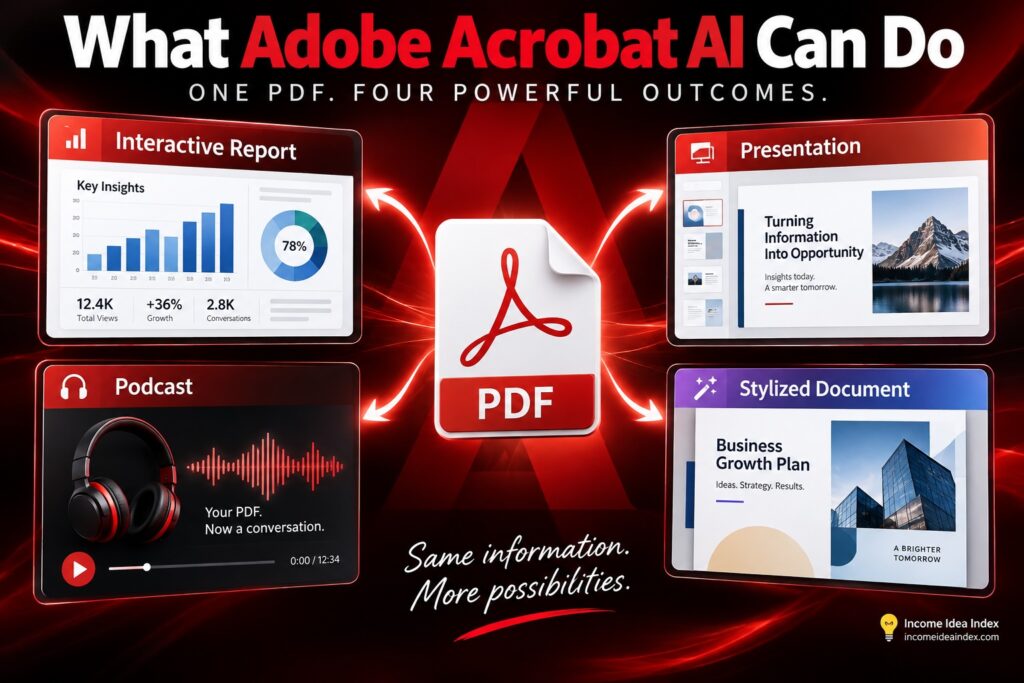
Another significant part of the update is called Stylize.
Stylize connects Acrobat with Adobe Express templates so users can take a plain document and give it a more professional visual presentation.
That could include reports, resumes, invoices, proposals, or presentations.
Instead of manually recreating the document inside a design application, Acrobat can place its content into an Adobe Express template and reflow the information to fit the new design.
The source content is preserved while the presentation changes.
That is potentially useful for smaller businesses that may not have a dedicated designer.
A simple client proposal could become a more polished branded document.
A basic report could become something suitable for presenting to a customer.
A job seeker could turn a plain resume into a visually refined version.
The important advantage may be less about creating something flashy and more about eliminating repetitive formatting work.
Why These Acrobat AI Features Matter for Small Businesses
Adobe’s examples frequently reference large organizations, but some of the most practical applications may actually be smaller.
A small business often has the same document needs as a large company without having separate people dedicated to research, design, presentations, analytics, and administrative work.
One person might be responsible for several of those jobs.
That makes tools that shorten the gap between information and finished work potentially valuable.
Consider a business owner who receives a supplier report.
Acrobat could help summarize the report and surface important details.
The information could then be transformed into a visual report for the rest of the team.
If necessary, the same source material could become a short presentation.
A plain document could then be stylized before it is sent to a customer or partner.
Those are several separate tasks built around the same source information.
The more interesting AI productivity tools are increasingly connecting those steps rather than treating every task as a completely separate prompt.
Adobe Is Also Building AI for Large Document Collections
Adobe’s newest announcement goes beyond individual PDFs.
Its enterprise offering includes two additional capabilities called Knowledge Base and Analyzer.
Knowledge Base lets organizations ask questions across collections containing PDFs, Microsoft Office documents, web pages, text, and email.
Adobe says information can also sync from services including SharePoint and Google Drive so the underlying knowledge remains current.
Analyzer approaches the problem differently.
It is designed to extract structured information from large collections of unstructured documents.
A company managing hundreds or thousands of agreements, for example, might use it to identify terms, renewal dates, service requirements, or other information scattered throughout those files.
These capabilities are aimed more directly at enterprise customers, so they are not something every Acrobat user will encounter.
But they illustrate the direction Adobe is taking.
Acrobat is increasingly being positioned as a system that can reason across collections of information rather than simply display one PDF at a time.
What About Accuracy and Citations?
This is where Adobe’s approach becomes particularly important.
When AI analyzes business documents, contracts, research, or financial information, a confident answer is not enough.
You need to know where the answer came from.
Adobe says answers generated from documents include clickable citations so users can return to the underlying source and verify the information.
That does not eliminate the possibility of mistakes.
AI-generated summaries, charts, presentations, and conclusions should still be checked, especially when the information affects financial, legal, employment, or business decisions.
But citations make that review much more practical.
Instead of treating the AI’s answer as the final authority, users can treat it as a faster way to locate and interpret the relevant source information.
That is a much healthier way to use AI.
What Happens to Your Documents?
Privacy is another obvious concern.
Many of the documents people open in Acrobat are not public.
They can contain contracts, financial information, company plans, customer information, resumes, internal reports, and other sensitive material.
Adobe says it does not use customer document data to train its generative AI models.
The company also emphasizes governance and security controls for enterprise customers.
That does not mean users should ignore their own organization’s privacy rules or upload information they are not authorized to process.
It does mean Adobe is directly addressing one of the largest barriers to using generative AI with business documents.
When working with sensitive information, the questions should always include not just what an AI tool can do, but what data it receives and how that data is handled.