
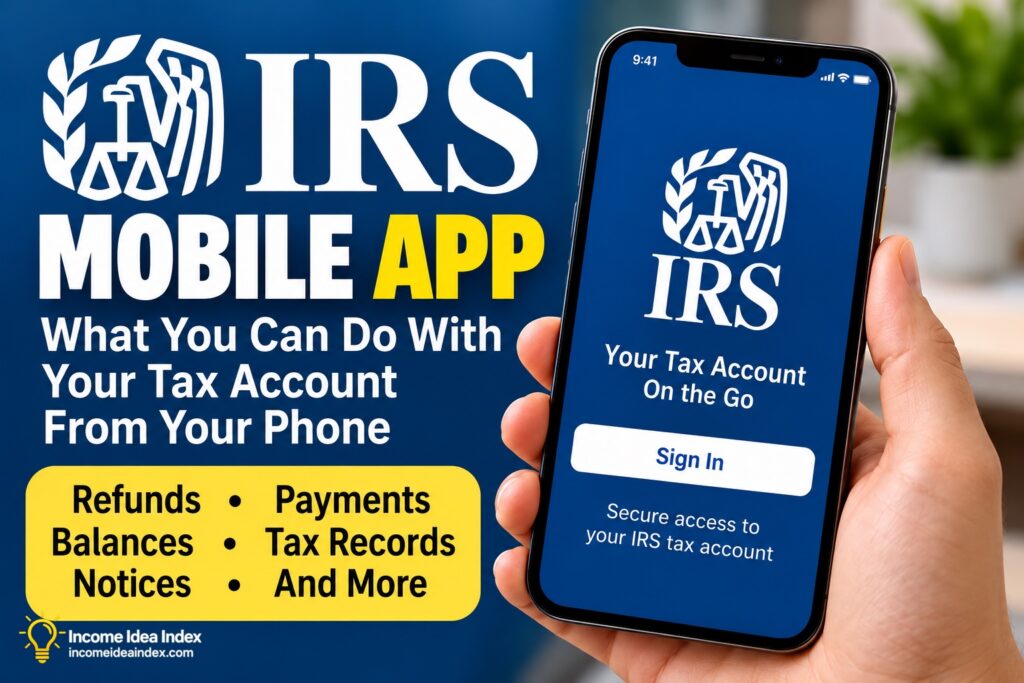
IRS mobile app access has received a major upgrade. On September 25, 2026, the Internal Revenue Service launched a new official mobile app that replaces IRS2Go and gives taxpayers access to more IRS account services directly from a smartphone.
The old IRS2Go app was primarily useful for tasks such as checking a tax refund. The new app goes considerably further.
Taxpayers can securely sign in to check balances, make payments, review payment activity, access certain tax records and transcripts, view selected IRS notices and letters, retrieve an Identity Protection PIN (IP PIN), and use other account features.
For freelancers, gig workers, small-business owners and ordinary taxpayers who regularly need to check something with the IRS, that could make managing federal taxes from a phone more convenient.
But the app does not replace IRS.gov or give you every feature available through an IRS online account.
Here is what the new IRS mobile app can—and cannot—do.
What Is the New IRS Mobile App?
The IRS officially announced the new app on September 25, 2026, replacing its longtime IRS2Go application.
According to the IRS announcement, the change is part of an effort to expand the agency’s digital services and make more account functions available from mobile devices.
IRS2Go had been available for more than a decade and provided features such as refund tracking and access to tax resources.
The new IRS app builds on those functions by adding secure access to selected services that are also available through an IRS Individual Online Account.
That distinction is important.
The app is not simply a mobile information page. You can securely sign in and access certain information associated with your own federal tax account.
At the same time, it is not a complete replacement for the IRS website.
What Happened to IRS2Go?
IRS2Go is being replaced by the new IRS app.
If you already have IRS2Go installed and automatic app updates are enabled on your device, the IRS says you do not need to download a separate replacement app. The existing app should update through the normal app-update process.
New users can obtain the official IRS app through the Apple App Store or Google Play.
Because tax accounts contain sensitive personal and financial information, it is particularly important to make sure you are installing the legitimate IRS application rather than an advertisement or look-alike app.
The safest starting point is the official IRS mobile app page, which provides verified information and download options.
What You Can Do With the IRS Mobile App
The biggest change from IRS2Go is the amount of account-specific information available after signing in.
Here are some of the main features available at launch.
Check Your Tax Refund Status
Refund tracking remains one of the app’s most useful features.
You can check the status of a federal tax refund from your phone instead of repeatedly visiting the IRS website.
The IRS also provides its official refund information and tracker on IRS.gov.
For current-year refunds, the IRS says refund status is generally available about 24 hours after electronically filing a return. Prior-year electronically filed returns generally take about three days to appear, while paper returns can take about four weeks.
Those timeframes refer to when status information becomes available—not necessarily when the refund will arrive.
Check an Amended Return
The app also provides access to amended-return status.
This can be useful if you filed a correction using Form 1040-X and want to monitor its progress without repeatedly navigating through IRS.gov.
View Your Available Balance
Taxpayers can view available balance information from within the app.
That can be particularly useful when you need to confirm how much you currently owe before making a payment or reviewing your tax situation.
Keep in mind that your tax circumstances can be more complicated than a single displayed balance. If you have questions about penalties, payment arrangements, multiple tax years or another tax issue, you may need additional information through IRS.gov or professional assistance.
Make IRS Payments
The IRS mobile app also allows taxpayers to access payment functionality.
This makes the app potentially useful beyond tax-filing season.
Freelancers, independent contractors, gig workers and some small-business owners may need to make tax payments during the year rather than having all of their federal income taxes withheld from a traditional paycheck.
For example, someone who misses a quarterly payment may need to address it before the next filing season. Our guide on what to do after missing an estimated-tax deadline explains some of the considerations for taxpayers with estimated-tax obligations.
The amount and timing of any required tax payment depends on your individual circumstances. The app makes payments more accessible; it does not determine what you personally should pay.
Review Your Payment Activity
Making a payment is only part of managing taxes.
Being able to review payment activity can help you confirm that payments were recorded and keep better track of what you have already sent to the IRS.
This may be especially useful for people whose income does not come with traditional payroll withholding.
View Selected IRS Notices and Letters
The app can display certain IRS notices and letters.
That doesn’t mean every piece of IRS correspondence will necessarily appear in the app. The agency specifically describes this feature as access to select notices and letters.
If you receive an IRS notice, read it carefully and follow the instructions provided. Do not assume that the mobile app contains every document or action you may need.
Access Tax Records and Transcripts
The app also provides access to available tax records and transcripts.
Tax transcripts can be useful when you need information from a previous tax return, income records or other tax-account information.
Depending on what you need, additional transcript services remain available through IRS.gov.
Retrieve Your IP PIN
One particularly useful addition is access to an Identity Protection PIN, commonly called an IP PIN.
An IP PIN is a six-digit number that helps prevent someone else from filing a federal tax return using your Social Security number or Individual Taxpayer Identification Number.
If you participate in the IP PIN program, being able to retrieve the number through the official app can make it easier to find when it is time to file.
Manage Certain Account Preferences
The IRS says users can also manage certain profile and communication preferences through the app.
As with notices, this doesn’t mean every account setting available through IRS.gov is available on mobile.
The IRS plans to expand the app over time, so its capabilities may become broader after launch.
Why the IRS App Could Be Useful for Gig Workers and Freelancers
Traditional employees often have federal taxes withheld automatically from their paychecks.
Self-employed people can have a more hands-on relationship with taxes.
Freelancers, independent contractors and gig workers may need to track business expenses, maintain records and potentially make estimated-tax payments during the year.
For drivers and delivery workers, that can include keeping mileage records. Our gig-worker mileage tracker guideexplains how to maintain business-mileage records throughout the year.
The IRS app doesn’t replace that recordkeeping.
What it can do is provide another convenient way to handle certain IRS account tasks from the same device many gig workers already use throughout their workday.
For example, you could check an account balance, review a previous payment or access certain tax records without needing to sit down at a computer.
That convenience is useful—but good financial and tax records still need to be maintained separately.
How to Get the Official IRS Mobile App
The IRS mobile app is free and available for Apple and Android devices.
Rather than searching for an app and choosing the first result that appears, start with the official IRS app information page.
This is especially important because an IRS account can contain highly sensitive information.
The IRS specifically warns taxpayers to be cautious about look-alike apps, advertisements and unsolicited messages that claim to provide access to IRS accounts.
Be Careful With Fake IRS Messages
An official IRS app does not make every tax-related message you receive legitimate.
Scammers can still send emails, texts, advertisements and other messages designed to look official.
The IRS says it will not ask taxpayers to provide sensitive personal or financial information through an unsolicited text message, email or pop-up.
If a message tells you to click a link to access your tax account, don’t assume the link is legitimate simply because it uses the IRS name or logo.
Instead, independently go to the official IRS website or open the verified IRS app.
Does the IRS App Replace IRS.gov?
No.
This is probably the most important limitation to understand.
The IRS says the mobile app initially extends selected Individual Online Account services to mobile devices.
IRS.gov remains the agency’s comprehensive source for federal tax information, forms, guidance, tools and services.
The full Individual Online Account also remains available through IRS.gov.
The same is true for the Business Tax Account and Tax Pro Account. Those services continue through the IRS website rather than being replaced by the new consumer mobile app.
Telephone and in-person IRS assistance also remain available for issues that cannot be resolved through self-service.
Think of the IRS app as a convenient mobile doorway into frequently used individual tax-account functions—not as a replacement for the entire IRS website.
Can You File Your Tax Return in the IRS App?
The IRS announcement does not describe the new app as a complete tax-return preparation and filing application.
The IRS continues to provide tax-filing information and services through IRS.gov, including information about available free-filing options.
If you are looking for a way to prepare and submit your federal return, don’t assume that downloading the IRS app replaces tax preparation software or other filing methods.
The app is better understood as an account-management and self-service tool.
Can You Use the IRS App Without an Account?
Some IRS mobile functions have historically been available without signing in, including refund tracking.
The new app’s expanded account-specific features, however, require secure access because they involve personal tax-account information.
For example, viewing balances, payment history, tax records and other account-specific information requires the IRS to verify who is accessing that information.
If you only want to check a refund, the IRS also maintains refund-tracking options through its website.
Is the IRS Mobile App Free?
Yes.
The official IRS app itself is free.
Be aware, however, that the method you choose to make a tax payment can affect whether a separate processing fee applies.
For example, IRS guidance indicates that certain payment methods can involve processing fees, while other methods may be available without one.
Always review the payment details before submitting a transaction.
Is the IRS Mobile App Worth Using?
For many taxpayers, yes—particularly if you regularly check refunds, make IRS payments or need access to basic tax-account information.
Its biggest advantage is convenience.
Instead of opening a browser, finding the correct IRS page and navigating through several sections, frequently used account functions can be available from an official app on your phone.
The value may be even greater for freelancers, independent contractors and gig workers who interact with the tax system throughout the year rather than only when filing an annual return.
But there is no requirement to manage your taxes through the app.
If you prefer IRS.gov, the full website and online accounts remain available.
The IRS App Should Become More Useful Over Time
The September 2026 launch isn’t necessarily the finished version of the IRS mobile experience.
The IRS says it plans to continue expanding the app with additional capabilities and services.
That makes the app worth watching.
Features that still require IRS.gov today could eventually become available directly through the mobile app.
For taxpayers, that could gradually turn the app into a more comprehensive tool for managing routine federal tax tasks.
Frequently Asked Questions About the IRS Mobile App
What is the official IRS mobile app?
The IRS mobile app is the Internal Revenue Service’s official smartphone application for accessing selected tax tools and Individual Online Account services. It replaced IRS2Go in September 2026.
What happened to IRS2Go?
IRS2Go is being replaced by the new IRS app. Existing IRS2Go users with automatic updates enabled should receive the new version through their normal app-update process.
Can I check my tax refund with the IRS app?
Yes. Refund-status tracking remains available through the IRS mobile experience. The IRS also offers refund tracking through IRS.gov.
Can I make tax payments through the IRS app?
The new app provides access to IRS payment functionality and allows users to review payment activity. Check the payment method and any applicable processing fees before submitting a payment.
Can I see how much I owe the IRS?
The app provides access to available balance information for signed-in users.
Can I get my IRS transcript from the app?
The IRS says users can access available tax records and transcripts through the new mobile app.
Can I get my IP PIN through the IRS app?
Yes. Access to an Identity Protection PIN is one of the account-specific services included in the new app.
Does the IRS mobile app replace my online IRS account?
No. The app extends selected Individual Online Account features to mobile devices. IRS.gov and the full IRS online-account services remain available.
Does the app include IRS business accounts?
The IRS says the app initially extends selected Individual Online Account features. Business Tax Account and Tax Pro Account services continue to be available through IRS.gov.
Is the IRS mobile app safe?
Use only the official app obtained through verified IRS links or the official Apple App Store or Google Play listing. Avoid apps, advertisements, texts or emails that imitate the IRS and request sensitive information.
The Bottom Line
The new IRS mobile app is a significant upgrade from IRS2Go because it moves beyond basic refund tracking and provides secure access to a broader range of individual tax-account services.
You can check refunds and amended returns, view available balances, make and review payments, access certain tax records, retrieve an IP PIN and handle other routine account tasks from your phone.
It won’t replace IRS.gov, tax-preparation software or professional tax advice.
But for everyday account management, it gives taxpayers another convenient way to interact with the IRS—and the agency says more mobile capabilities are coming.
For taxpayers who already manage banking, budgeting, work and other financial tasks from a smartphone, having more IRS account functions available in the same place could make staying on top of federal taxes a little easier.