What Can Gemini for Windows Actually Do?
The Windows app brings many of the capabilities people already use in Gemini into a dedicated desktop environment.
The difference is how quickly you can access them.
Here are some of the most practical uses.
1. Get AI Help Without Leaving Your Current Task
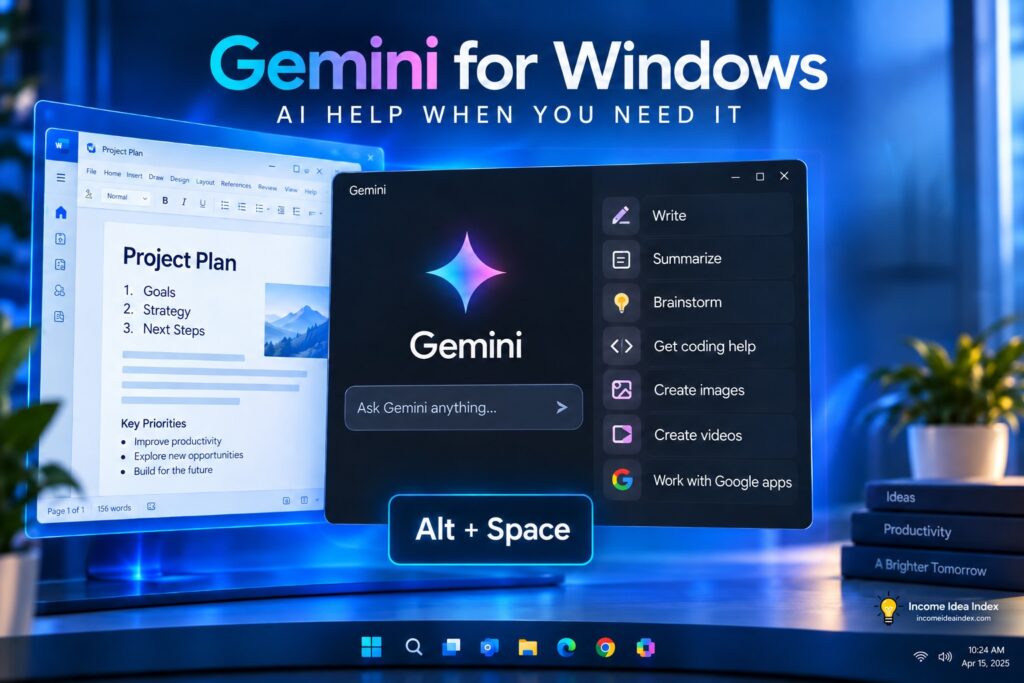
The Alt + Space shortcut is one of the app’s simplest features, but it may also be one of the most useful.
Suppose you are writing something and cannot think of a better headline.
You can open Gemini, ask for alternatives, review the suggestions, and return to your document.
Or perhaps you come across an unfamiliar term while reading a report.
Instead of opening another browser tab and beginning a separate search, you can quickly ask Gemini for an explanation.
This kind of AI use rarely looks revolutionary on its own.
But small interruptions add up.
Reducing them can make AI considerably more useful throughout the day.
That is similar to the approach we discuss in 7 Practical Ways to Use AI to Save Time Every Week: AI often creates the most value when it removes friction from tasks you already perform.
2. Draft and Rewrite Content
Gemini can help create or improve many types of written material, including:
- Emails
- Outlines
- Blog drafts
- Product descriptions
- Social media ideas
- Presentations
- Project summaries
- Marketing copy
- Business documents
You can also give Gemini existing text and ask it to rewrite it.
For example:
Make this email shorter and more professional.
Or:
Rewrite this product description for someone who has never used the product before.
AI-generated writing still needs human review.
Gemini can produce incorrect information, awkward wording, or claims that require verification. It is better used as an assistant than as an automatic publishing system.
3. Summarize Information
The Windows app can also help turn longer material into something easier to review.
That might include:
- Articles
- Documents
- Notes
- Research
- Meeting information
- Project material
A freelancer might summarize a long client document before a meeting.
A business owner could turn scattered notes into a shorter action list.
A student could ask Gemini to explain a complicated concept in simpler language.
A creator could use it to identify the main points in research before deciding what deserves deeper investigation.
4. Brainstorm Ideas
AI can also be particularly useful when you want a large number of possibilities rather than one definitive answer.
You might ask Gemini for:
- Blog topics
- Product names
- Newsletter ideas
- Video concepts
- Customer questions
- Service packages
- Headlines
- Promotional angles
- Business ideas
Not every suggestion will be good.
That is fine.
Brainstorming is about generating possibilities quickly and then using your own judgment to decide which ideas deserve further work.
5. Get Coding Help
Gemini can help explain, write, and troubleshoot code.
That does not mean someone without technical knowledge should blindly copy AI-generated code into an important website or business system.
But Gemini can be useful for:
- Explaining an error message
- Finding possible causes of a problem
- Understanding unfamiliar code
- Exploring possible solutions
- Generating a starting point for a small project
The more important or security-sensitive the code is, the more carefully it should be reviewed before being used.
Gemini Can Work With Google’s Wider Ecosystem
One of Gemini’s biggest potential advantages comes from Google’s existing collection of products and services.
Depending on your account, permissions, settings, and available features, Gemini can work with supported Google services such as Gmail and Google Drive.
That can turn a general AI assistant into something closer to a workspace assistant.
For example, instead of manually searching through several files before beginning a project, you may be able to ask Gemini to help locate or summarize relevant information from connected Google services.
That convenience also deserves some caution.
Whenever you connect an AI system to email, documents, files, or other personal information, review the permissions and settings carefully.
Greater integration can make an AI tool more useful.
It also means you should understand what information the system is allowed to access.