Muse Remembers Information About You
Muse is also designed to remember information from previous conversations.
That allows it to personalize future suggestions and potentially complete tasks with less explanation.
Meta gives an example of Muse taking a recipe someone saved on Instagram, turning it into a grocery list and remembering dietary restrictions previously mentioned when planning a dinner.
That could make an agent significantly more useful over time.
It also makes privacy controls increasingly important.
Meta says users can tell Muse to forget information it has learned, disconnect services and opt out of having Muse interactions used to train Meta’s AI models.
The company also says conversations and data stored within a Muse virtual machine are not shared with Meta’s advertising systems.
Later in 2026, Meta plans to introduce Muse Confidential VM, which Meta says will encrypt the entire virtual environment using a key controlled by the user so that even Meta cannot access its contents.
Could Muse Actually Save You Time?
For many people, the most useful question will not be whether Muse has sophisticated AI.
It will be whether it removes enough work to justify using it.
Potentially useful tasks could include:
- Researching several options before a purchase
- Preparing travel plans
- Organizing appointments
- Handling repetitive online forms
- Drafting routine communications
- Gathering information for a project
- Creating a plan from a larger goal
- Coordinating repetitive administrative work
Those are exactly the types of tasks where AI can reduce friction.
Our guide to 7 practical ways to use AI to save time every week focuses on the same basic principle: technology is most valuable when it eliminates work rather than creating another tool you constantly have to manage.
Muse takes that concept further because the AI can potentially perform parts of the workflow instead of merely helping you prepare them.
Is Meta Muse Free?
Meta says Muse is free for most everyday use, while subscription plans are available for people who want to use it more heavily.
That means people should be able to experiment with the service before deciding whether additional usage is worth paying for.
Before subscribing to any new AI service, however, it is worth asking whether it solves a problem you actually have.
AI subscriptions can accumulate quickly.
Our guide to choosing online tools that are actually worth paying for explains how to evaluate whether a tool saves enough time, improves your work or creates enough value to justify another monthly expense.
Where Can You Use Meta Muse?
Muse is initially rolling out in the United States.
Meta says it is available through:
- iOS
- Android
- The Muse website
Meta also plans to bring Muse to its AI glasses.
Availability and features could expand as the service develops, so users interested in current access should check Meta’s official Muse information for the latest details.
Should You Use Meta Muse?
Muse is interesting because it represents where consumer AI appears to be heading.
The first generation of popular AI tools focused largely on conversation.
You asked a question.
The AI answered.
The next generation is increasingly focused on delegation.
You describe an outcome.
The AI figures out some of the steps and starts completing them.
That could make tools such as Muse genuinely useful for repetitive administrative work, research, planning and other tasks that consume time without necessarily requiring constant human judgment.
But greater capability should come with greater caution.
Start with tasks that are easy to review.
Limit account permissions.
Require approval before messages, purchases, bookings or other meaningful actions.
And do not assume that an AI agent is correct simply because it can act independently.
The useful version of AI automation is not giving software unlimited control.
It is letting technology handle more of the routine work while you remain responsible for the decisions that matter.
Meta Muse Shows Where AI Is Going Next
Meta Muse is not simply another chatbot with a different name.
Its significance comes from what it is designed to do: move artificial intelligence from answering questions toward completing real-world digital tasks.
Whether Muse itself becomes the dominant personal AI agent remains to be seen.
But the larger shift is already happening.
AI is gradually moving from “What would you like to know?” toward “What would you like me to get done?”
For consumers, freelancers and small-business owners, that could eventually be a much bigger change than simply having a smarter chatbot.
Artificial intelligence is moving from answering questions to actually doing things for you.
Meta’s newly launched Muse AI agent is one of the clearest examples yet.
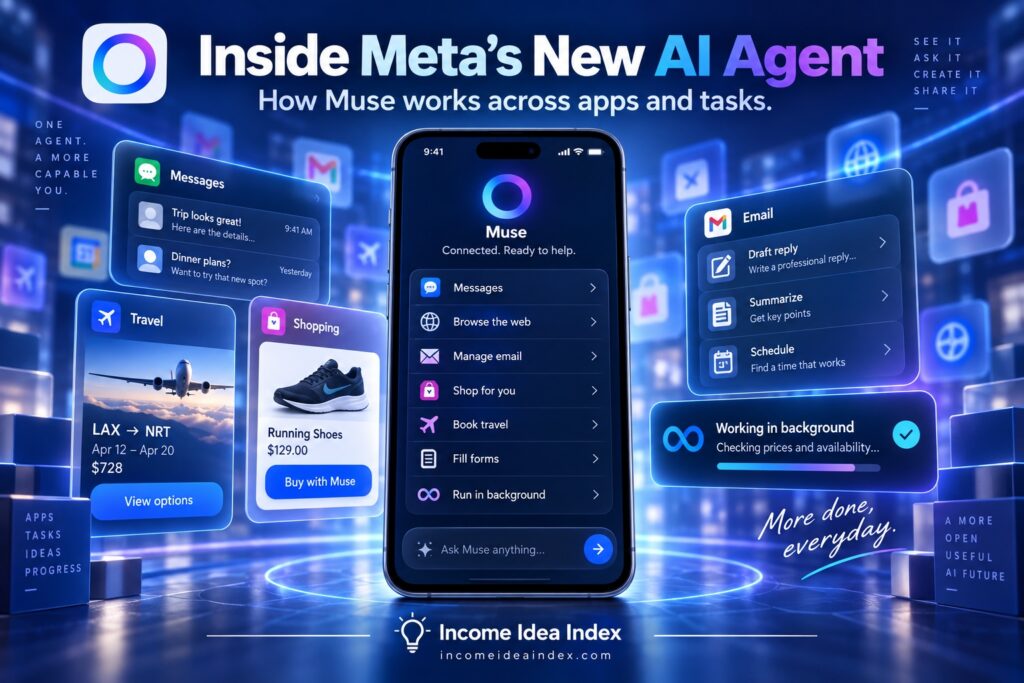
Introduced on September 8, 2026, Muse is designed to handle tasks such as sending emails, booking travel, filling out online forms, shopping, organizing plans and working toward longer-term goals.
Unlike a traditional chatbot that primarily gives you information or instructions, Muse can open a browser, use connected services and take actions on your behalf.
That makes Muse part of a much larger shift toward AI agents — systems designed not just to tell you how to complete a task, but to help complete the task itself.
What Is Meta Muse?
Muse is a new personal AI agent developed by Meta.
According to Meta’s official Muse announcement, the idea is simple: instead of repeatedly telling an AI what to do one step at a time, you give Muse a goal and allow it to work through the necessary steps.
For example, Muse may be able to:
- Send or prepare emails
- Search the web
- Book travel
- Fill out forms
- Shop online
- Help sell an item
- Organize schedules and plans
- Work across connected apps
- Help manage longer-term projects
- Return when it needs your approval
This is fundamentally different from asking an ordinary chatbot, “How do I book a trip?”
A chatbot might explain the process.
An AI agent could potentially search for options, compare them, enter information and prepare the booking for approval.
If AI agents are still unfamiliar, our guide to AI agents for beginners explains how these systems differ from ordinary chatbots and why maintaining human oversight matters.
Muse Can Keep Working After You Close the App
One of the more significant features of Muse is that it does not necessarily stop working when you leave the conversation.
Meta says Muse can continue longer-running tasks after the app is closed.
It can then return when something changes, when the task is completed or when it needs permission to continue.
Imagine asking an AI agent to research travel options, compare products or work through a larger administrative task.
Instead of keeping the conversation open and repeatedly providing new instructions, Muse is designed to advance the work independently within the permissions you have given it.
That begins to make AI feel less like a search box and more like delegated assistance.
Muse Uses Its Own Secure Virtual Computer
Giving an AI permission to browse websites and access accounts creates an obvious question:
How much access should an AI agent have?
Meta has built Muse around what it calls Muse Secure VM.
A virtual machine, or VM, is essentially a software-based computer running in the cloud. Each Muse user gets a dedicated environment where the agent operates and where connected data and credentials can be stored.
Meta says Muse itself does not see users’ passwords or payment information.
A separate system called Sentinel monitors actions from Muse and determines whether additional permission is required before something reaches the internet.
Muse is also designed to ask for confirmation before sensitive actions such as sending an email or making a purchase.
Users can control which services Muse connects to and what level of access each connection receives.
That distinction is important.
An AI agent may be useful because it can take action, but the same capability increases the consequences if it misunderstands an instruction or is given more access than it actually needs.
Our broader guide to AI agents for beginners recommends starting with low-risk tasks, granting only necessary permissions and requiring human approval for meaningful actions.
Muse Can Make Purchases
Muse can also help complete online purchases.
Meta partnered with Stripe to integrate Link into the system.
According to Meta, Link can generate a one-time-use card number for an agent so the actual payment-card information does not need to be entered across different websites.
Muse is designed to request approval before making a purchase.
Meta also says support for Shop Pay and 1Password is planned.
This ability demonstrates both the promise and the risk of AI agents.
Saving ten minutes on an online purchase may be useful.
Giving software unrestricted purchasing authority would be considerably less appealing.
The safest approach is to let the agent handle repetitive preparation while keeping final authorization under human control.
Muse Remembers Information About You
Muse is also designed to remember information from previous conversations.
That allows it to personalize future suggestions and potentially complete tasks with less explanation.
Meta gives an example of Muse taking a recipe someone saved on Instagram, turning it into a grocery list and remembering dietary restrictions previously mentioned when planning a dinner.
That could make an agent significantly more useful over time.
It also makes privacy controls increasingly important.
Meta says users can tell Muse to forget information it has learned, disconnect services and opt out of having Muse interactions used to train Meta’s AI models.
The company also says conversations and data stored within a Muse virtual machine are not shared with Meta’s advertising systems.
Later in 2026, Meta plans to introduce Muse Confidential VM, which Meta says will encrypt the entire virtual environment using a key controlled by the user so that even Meta cannot access its contents.
Could Muse Actually Save You Time?
For many people, the most useful question will not be whether Muse has sophisticated AI.
It will be whether it removes enough work to justify using it.
Potentially useful tasks could include:
- Researching several options before a purchase
- Preparing travel plans
- Organizing appointments
- Handling repetitive online forms
- Drafting routine communications
- Gathering information for a project
- Creating a plan from a larger goal
- Coordinating repetitive administrative work
Those are exactly the types of tasks where AI can reduce friction.
Our guide to 7 practical ways to use AI to save time every week focuses on the same basic principle: technology is most valuable when it eliminates work rather than creating another tool you constantly have to manage.
Muse takes that concept further because the AI can potentially perform parts of the workflow instead of merely helping you prepare them.
Is Meta Muse Free?
Meta says Muse is free for most everyday use, while subscription plans are available for people who want to use it more heavily.
That means people should be able to experiment with the service before deciding whether additional usage is worth paying for.
Before subscribing to any new AI service, however, it is worth asking whether it solves a problem you actually have.
AI subscriptions can accumulate quickly.
Our guide to choosing online tools that are actually worth paying for explains how to evaluate whether a tool saves enough time, improves your work or creates enough value to justify another monthly expense.
Where Can You Use Meta Muse?
Muse is initially rolling out in the United States.
Meta says it is available through:
- iOS
- Android
- The Muse website
Meta also plans to bring Muse to its AI glasses.
Availability and features could expand as the service develops, so users interested in current access should check Meta’s official Muse information for the latest details.
Should You Use Meta Muse?
Muse is interesting because it represents where consumer AI appears to be heading.
The first generation of popular AI tools focused largely on conversation.
You asked a question.
The AI answered.
The next generation is increasingly focused on delegation.
You describe an outcome.
The AI figures out some of the steps and starts completing them.
That could make tools such as Muse genuinely useful for repetitive administrative work, research, planning and other tasks that consume time without necessarily requiring constant human judgment.
But greater capability should come with greater caution.
Start with tasks that are easy to review.
Limit account permissions.
Require approval before messages, purchases, bookings or other meaningful actions.
And do not assume that an AI agent is correct simply because it can act independently.
The useful version of AI automation is not giving software unlimited control.
It is letting technology handle more of the routine work while you remain responsible for the decisions that matter.
Meta Muse Shows Where AI Is Going Next
Meta Muse is not simply another chatbot with a different name.
Its significance comes from what it is designed to do: move artificial intelligence from answering questions toward completing real-world digital tasks.
Whether Muse itself becomes the dominant personal AI agent remains to be seen.
But the larger shift is already happening.
AI is gradually moving from “What would you like to know?” toward “What would you like me to get done?”
For consumers, freelancers and small-business owners, that could eventually be a much bigger change than simply having a smarter chatbot.