9. Routine Financial and Career Checkups
Some things should not happen automatically, but the decision to review them can.
That distinction matters.
You probably do not want software automatically changing your insurance, moving investments around, canceling services, or rewriting your career plans without you.
But you can automate a reminder to look at those things.
Consider recurring reminders such as:
Monthly: Review bills and automatic payments.
Quarterly: Review subscriptions and recurring expenses.
Every six months: Update your resume and professional information.
Annually: Review major financial accounts, insurance coverage, important documents, and long-term goals.
A recurring career review is particularly useful because career preparation is much easier when you are not doing it during an emergency.
Income Idea Index’s career backup plan guide explains how keeping your resume, skills, network, finances, and backup-income options prepared can give you more choices before you actually need them.
The automation here is not:
Make the decision for me.
It is:
Make sure I remember to make the decision.
That is often the safer and more useful form of automation.
10. Your Weekly or Monthly Personal Reset
One of the most useful things you can automate is not a task at all.
It is a recurring moment to look at your life.
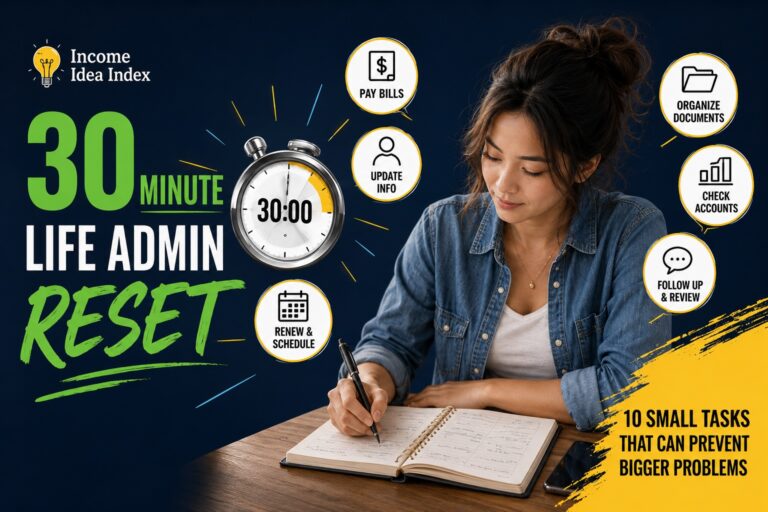
Schedule a repeating 20- or 30-minute personal reset.
During that time, check:
your calendar,
unfinished tasks,
upcoming bills,
renewals,
important messages,
household needs,
financial reminders,
and anything else likely to surprise you later.
You do not have to maintain an elaborate productivity system.
The point is simply to create a predictable checkpoint.
Once the checkpoint is on the calendar automatically, you no longer have to remember to remember everything else.
That may be the highest-value automation on this entire list.
The Three Levels of Personal Automation
When people hear the word automation, they often imagine complicated software connecting multiple apps.
It does not have to be that complicated.
Most useful personal automation falls into three levels.
Level 1: Do It Automatically
The system performs a predictable action.
Examples include recurring bill payments, savings transfers, backups, and routine software updates.
Level 2: Remind Me Automatically
The system does not make the decision. It simply makes sure the task appears when you need to handle it.
Examples include subscription reviews, maintenance, document renewals, and quarterly financial checkups.
Level 3: Surface It Automatically
The system brings useful information to your attention so you do not have to repeatedly search for it.
Calendar notifications, account alerts, email filters, and scheduled summaries can all fit here.
You do not need Level 1 for everything.
In many situations, Level 2 is enough.
What You Probably Shouldn’t Automate
Automation is most useful when the correct action is predictable.
It becomes less useful when the situation requires judgment.
Be cautious about automating decisions involving large amounts of money, unfamiliar companies, changing circumstances, important relationships, unusual purchases, or anything you would want to examine carefully before approving.
A useful question is:
If this happens automatically and I do not notice for three months, am I still comfortable with the outcome?
If the answer is no, automate the reminder rather than the action.
That keeps the convenience while preserving oversight.
Start With Three Things, Not Ten
You do not need to build an automated life this weekend.
In fact, trying to automate everything at once can create another project to manage.
Start with three repetitive things that regularly occupy mental space.
One financial task.
One household or digital task.
One recurring reminder.
For example:
Automate a manageable savings transfer.
Turn on automatic backups.
Create a recurring subscription review.
Then live with those systems for a while.
If they genuinely make life easier, add another.
If an automation becomes annoying, expensive, unreliable, or unnecessary, change it.
The purpose of automation is not to build the most sophisticated system.
It is to make ordinary life require a little less remembering.
Final Thought: Save Your Attention for Things That Deserve It
Your memory is useful for ideas, conversations, decisions, learning, creativity, and experiences.
It does not need to be the storage system for every renewal date, payment deadline, maintenance interval, and recurring household task.
When something predictable can happen safely on its own, automate it.
When something still requires your judgment, automate the reminder.
And when something no longer deserves your time at all, consider removing it instead of automating it.
The best personal automation does not make life feel more technological.
It makes life feel a little quieter.