
You do not have to cram every related keyword into the URL.
Clarity is enough.
Step 9: Write a Useful Meta Description
A meta description is the short description that may appear underneath your page title in search results.
Google may choose different text depending on the search, so your description is not guaranteed to appear exactly as written.
It is still worth creating one.
A good description tells a potential visitor what they will get from the page.
For this article, an example would be:
Learn SEO for beginners in 2026, including keywords, search intent, on-page SEO, internal links, Google Search Console, backlinks, and AI search.
That is far more useful than:
Welcome to our website. Read this post to learn more.
Think of the meta description as a short invitation, not a place to stuff keywords.
Step 10: Optimize Images Without Overthinking Them
Images can improve an article, illustrate a difficult idea, and make long pages easier to read.
They should also be handled properly.
Use:
- Descriptive filenames
- Appropriate dimensions
- Compressed image files
- Useful alt text when the image conveys information
- Modern image formats when appropriate
Alt text exists primarily to describe meaningful images for accessibility.
It can also provide search engines with context.
For example:
SEO dashboard
is vague.
A more descriptive alt text might be:
Beginner reviewing website SEO performance and search traffic
But do not insert keywords into alt text when they do not describe the image.
Accessibility comes first.
Step 11: Understand On-Page SEO
On-page SEO refers to improvements you make directly to a page.
That includes many of the practices we have already covered:
- Useful content
- Page titles
- Headings
- Keywords
- Internal links
- External links
- URLs
- Meta descriptions
- Images
- Readability
Beginners sometimes become obsessed with getting an SEO plugin to display a perfect score.
Those scores can be useful checklists.
They are not Google’s ranking algorithm.
A plugin may warn you because your keyword does not appear a certain number of times.
That does not mean adding three awkward sentences will improve the page.
Use SEO scores to catch things you may have forgotten.
Do not sacrifice the quality of the article just to turn every indicator green.
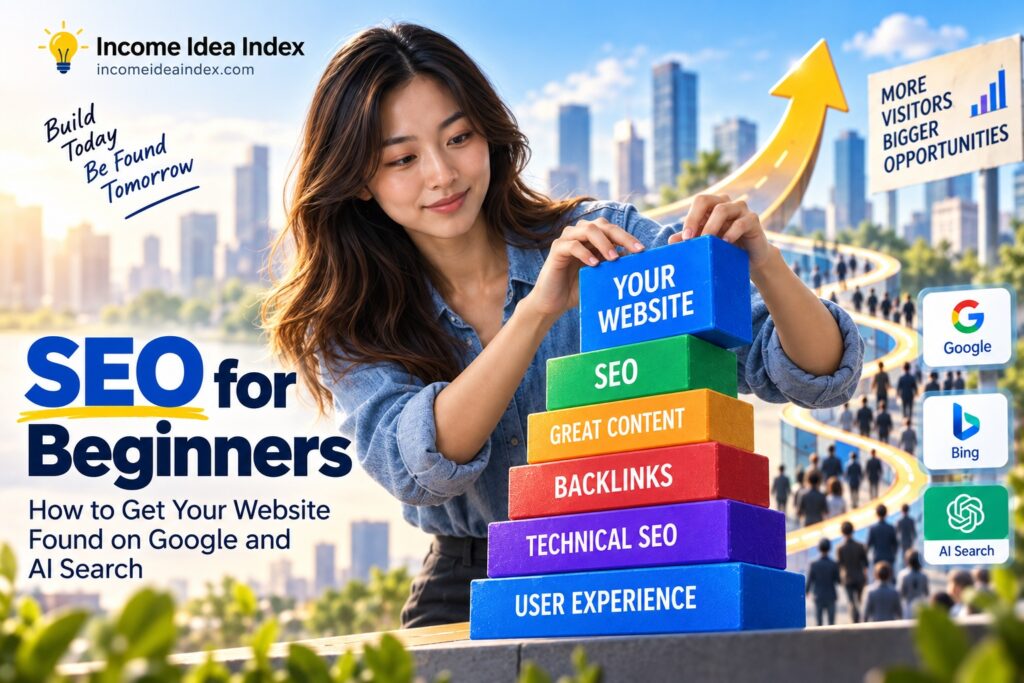
Step 12: Learn the Basics of Technical SEO
Technical SEO sounds intimidating because it can become highly technical.
A beginner only needs to understand the basics at first.
Search engines need to be able to:
- Discover your page
- Crawl it
- Understand it
- Index it
Common technical issues include:
- Pages accidentally set to noindex
- Important content blocked from crawlers
- Broken links
- Extremely slow pages
- Poor mobile usability
- Duplicate URLs
- Missing or incorrect canonical URLs
- Broken redirects
- Sitemap problems
You do not need to manually inspect every line of your website’s code.
Modern website platforms and SEO plugins handle much of the underlying work.
But you should know these issues exist so you can investigate if an important page refuses to appear in search.
Step 13: Set Up Google Search Console
One of the best free SEO tools is Google Search Console.
Search Console lets website owners see information about how their site performs in Google Search.
It can help you monitor:
- Search clicks
- Impressions
- Average search position
- Queries people use to find your pages
- Pages receiving search traffic
- Indexing status
- Sitemap processing
- Technical problems Google detects
Google’s guide to getting started with Search Console
This becomes especially valuable after you have published content for a while.
You might discover that an article you wrote around one keyword is receiving impressions for several other phrases.
That gives you real search data.
You can then improve the article, add a missing section, create a related article, or strengthen your internal links.
That is much more useful than guessing forever.
Step 14: Don’t Ignore Bing and Other Search Experiences
Google receives most of the attention in SEO conversations, but it is not the only place people can discover your content.
Bing also powers search and AI experiences connected to Microsoft’s ecosystem.
Bing Webmaster Tools can help website owners understand indexing and search performance there.
Microsoft also supports IndexNow, a protocol that allows participating search engines to be notified when URLs are added, updated, or removed.
You do not need to spend every day checking several webmaster dashboards.
The important point is simply that website discovery extends beyond one search engine.
Step 15: Understand What Backlinks Are
A backlink is a link to your website from another website.
Search engines can use links as one signal when evaluating pages and discovering content.
But beginners often hear this and immediately think:
“I need as many backlinks as possible.”
That can lead to bad decisions.
A relevant link from a respected website can be meaningful.
Hundreds of artificial links from spam websites are not the same thing.
Good backlinks are often earned because something is genuinely worth referencing.
That might include:
- Original research
- Useful statistics
- Free tools
- Calculators
- Templates
- Detailed tutorials
- Original frameworks
- Strong opinion or analysis
- Industry resources
- Data visualizations
- First-hand experience
Instead of starting with:
How can I manufacture 500 backlinks?
try asking:
What could I publish that another website would genuinely have a reason to reference?
That question leads to much healthier SEO.
Step 16: Build Topic Clusters Instead of Random Articles
A website becomes easier to understand when related pages connect naturally.
Suppose you want to develop expertise around SEO.
Instead of publishing one SEO article and moving on forever, you might eventually create:
- SEO for beginners
- Keyword research for beginners
- How to find low-competition keywords
- On-page SEO checklist
- Internal linking guide
- Google Search Console guide
- How to update old content
- SEO mistakes beginners make
- How to write SEO titles
- How to improve website traffic
- SEO for affiliate websites
- SEO for digital products
- How AI search changes SEO
Those articles can link to one another where relevant.
You have created a content cluster.
The same strategy works in other subjects.
Our marketing section already connects topics such as audience growth, content repurposing, and promoting affiliate products without sounding salesy.
Over time, a collection of useful related resources is much more valuable than a pile of disconnected posts.