

You do not necessarily need a full street address every time.
A useful description could be:
Airport waiting area
Downtown delivery zone
Supply store
Customer area
Client office
The goal is to leave enough information to understand the trip later.
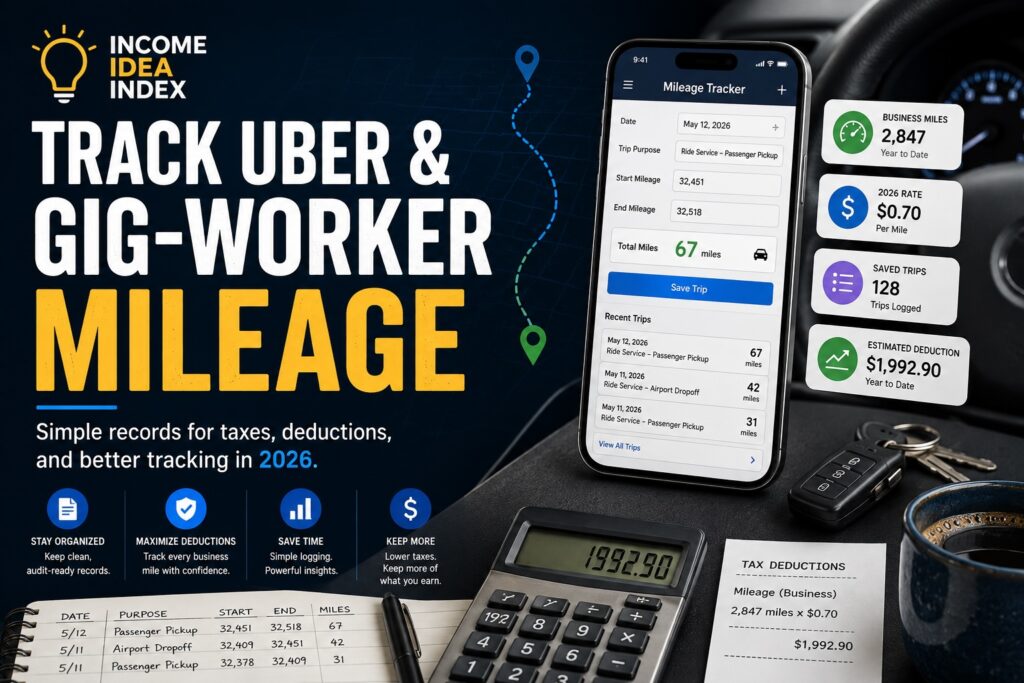
5. Enter Your Odometer Readings
Enter the odometer reading when the business trip begins and when it ends.
For example:
Starting odometer: 42,150.0
Ending odometer: 42,218.6
Calculated mileage:
68.6 miles
6. Add a Note if Needed
The notes field is optional, but it can help explain unusual trips.
For example:
Airport rides during evening shift
or:
Picked up supplies for business use
A short note can provide useful context months later.
7. Save the Trip
Review the information and save the entry.
The trip is then added to your mileage log.
The Tracker Estimates a Potential Mileage Deduction
As you add qualifying business miles, the tracker can estimate a potential standard-mileage deduction using the applicable rate for the trip date.
For business trips from July 1 through December 31, 2026, the IRS rate is 76 cents per mile. IRS — 2026 Standard Mileage Rate Update
Remember that this is an estimated potential deduction, not an estimate of your tax refund.
Whether mileage qualifies and how much tax you ultimately save depends on your individual circumstances.
Export and Back Up Your Records
A mileage log is much more useful when you can take the information with you.
The tracker includes several options.
CSV Export
You can export your records as a CSV file.
This lets you open the mileage log in spreadsheet software or provide it to someone helping prepare your taxes.
Backup
You can create a backup of the records stored in your browser.
Because the tracker stores data locally, regular backups are a good habit.
Restore
If you have a compatible backup file, you can restore your mileage records later.
The tracker also includes a print option if you prefer a more traditional mileage log or want a paper copy for your records.
A Simple Mileage Routine for Uber and Delivery Drivers
The best recordkeeping system is usually the one you will actually use.
You do not need to make the process complicated.
A simple routine could look like this:
Before starting business driving:
Record your starting odometer.
When the business-driving period ends:
Record your ending odometer and save the trip.
Once a week:
Review your entries for obvious mistakes.
Once a month:
Export or back up your records.
A few minutes of regular maintenance can be much easier than trying to rebuild hundreds of miles later.
Common Mileage-Tracking Mistakes
Even a good tracker cannot fix inaccurate information.
Here are a few mistakes worth avoiding.
Waiting Until Tax Season
Memories fade.
Records created throughout the year are much more useful than estimates reconstructed months later.
Mixing Personal and Business Miles
Your vehicle may be used for both personal and business driving.
Do not automatically classify every mile driven on a workday as business mileage.
Recording Only a Year-End Total
Writing down:
12,400 business miles
at the end of the year provides far less detail than maintaining a consistent trip log.
Forgetting to Back Up Your Records
Because the tracker stores information locally in your browser, clearing browser data could remove it.
Create backups regularly.
Confusing a Deduction With a Refund
If the tracker estimates a potential mileage deduction of $3,000, that does not mean you will receive $3,000 back.
A deduction and a tax refund are not the same thing.
Standard Mileage vs. Actual Vehicle Expenses
The standard mileage method is not the only possible way to account for vehicle expenses.
Depending on your situation and applicable tax rules, actual vehicle expenses may also be relevant.
Those expenses can include items such as:
- fuel
- maintenance
- repairs
- insurance
- registration
- depreciation
- other qualifying vehicle costs
Rules apply to which method can be used and when.
The Income Idea Index Mileage Tracker is primarily designed to help you maintain mileage records and estimate potential deductions using standard mileage rates.
It does not determine which tax method is best for you.
Gig Income Is Still Taxable
Mileage deductions do not change the basic requirement to report gig income.
The IRS states that gig-economy income must generally be reported even when it comes from part-time or temporary work, is paid in cash, or is not reported to you on an information form. IRS — Gig Economy Tax Center
That is another reason good records matter.
Ideally, you want to keep track of both:
income coming in
and
qualifying business expenses
throughout the year.
Build the Habit Before You Need the Records
Mileage tracking is not exciting.
That is exactly why it is easy to ignore.
But taking a few moments to record your business driving now can save a lot of frustration later.
If you drive for Uber, Lyft, DoorDash, Instacart, Amazon Flex, or another gig platform, try making mileage tracking part of your normal work routine.
You can start here:
Use the Free Income Idea Index Gig-Worker Mileage Tracker
Record the trip.
Save the mileage.
Back up your records regularly.
And when you eventually need the information, you will already have it.
The Income Idea Index Gig-Worker Mileage Tracker is a recordkeeping and estimation tool provided for educational purposes. It does not provide tax, legal, or accounting advice. Tax rules and individual circumstances vary. Consult current IRS guidance or a qualified tax professional when determining whether mileage or other expenses are deductible.